Security operations center setup for guard companies
A security operations center you can afford: room layout, video management, the 4.2 FTE staffing math, and a six-month phase-in plan.

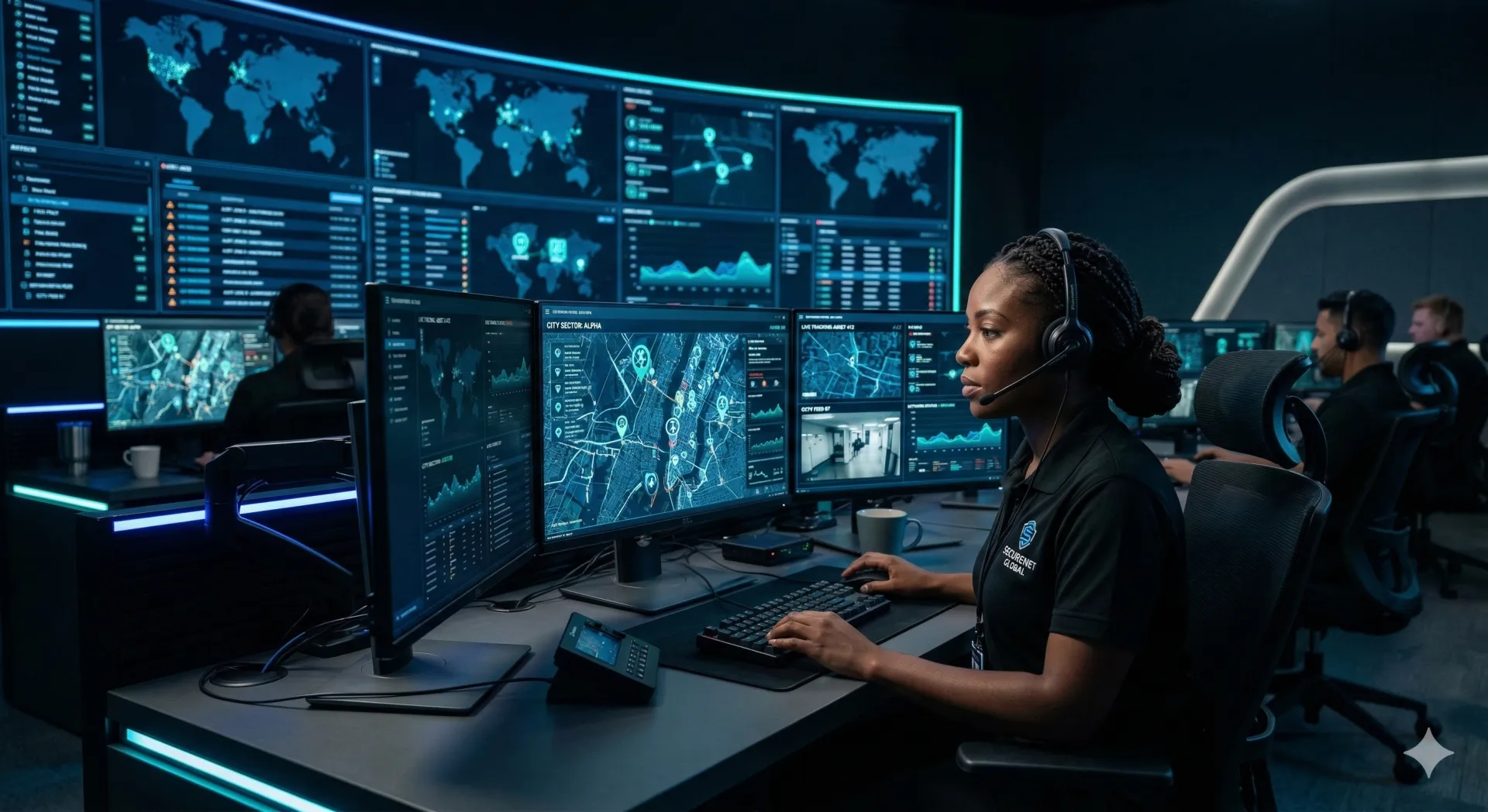
A security operations center is a room, a person, and a written answer for every alarm that room can receive. A 30-guard company can stand one up in a spare office. What sinks it is the 3am alarm nobody wrote a procedure for.
Start with one seat, your own sites, and daytime hours. Prove the procedures survive real incidents, then extend the clock. The staffing arithmetic decides the budget: covering one seat around the clock takes 4.2 full-time equivalents before you have covered a single vacation day. Buy the chair and the second internet connection before the video wall.
What is the security operations center monitoring?
Answer four questions before you spend anything. Getting these wrong costs more than getting the equipment wrong.
- What feeds come in? Cameras, alarm panels, GPS, access control, fire panels, or some subset. A SOC that watches everything on day one watches nothing properly.
- What hours? This is the budget question in disguise. See the staffing math below before you answer it.
- What is the operator allowed to do? Observe and report, observe and dispatch, or talk a field officer through a live situation. Each level needs its own training and escalation matrix.
- Your sites or your clients' sites? Monitoring your own is simpler because you own the cameras and the procedures. Selling it adds contracts, service levels, reporting and liability.
Start narrow. A SOC that reliably watches five sites is worth more than one that intermittently watches fifty.
How should the SOC room be laid out?
A dedicated room with a door that closes, not a corner of the office. Around 150 to 200 square feet handles one operator station, and you want double that if a second and third seat are coming.
The operator should reach every active display without turning far. Alert monitors go directly in front, cycling camera views left and right, ambient information such as weather or a GPS map on the periphery. The classic mistake is the twelve-screen wall bought because it looks like the movies. One operator can meaningfully watch four to six screens. Past that you are decorating.
Spend properly on the chair. Somebody sits in it for eight to twelve hours, and a cheap one produces back pain, then sick days, then turnover, then a comp claim that costs more than every chair you will ever buy. A sit-stand desk is the other high-return purchase, because standing for an hour is the cheapest fatigue intervention there is.
Keep the light dim, not dark. Full darkness produces eye strain and drowsiness, and overhead fluorescents throw glare onto the screens, so use strips behind the monitors and an adjustable desk lamp. Then check the heat: six monitors in a small room will cook it without dedicated cooling, and a warm SOC is a sleepy SOC.
What goes in the technology stack?
Video management
The VMS pulls every site's cameras into one interface, and this is where the market moves under you. Milestone discontinued its free Essential+ tier as part of the XProtect 2025 R2 release, so the standing advice to start there is out of date. Its Express+ tier is listed as up to 100 cameras on a single site.
Shop on three numbers rather than on brand: how many cameras across how many sites, whether you need one console spanning all of them, and what the license does when a client adds a camera mid-contract. Get a written quote at your projected camera count, not your current one.
Access control and field communication
If your clients run card readers, feeding that data to the operator gives context video alone cannot. A door-forced alarm at 2pm is usually a delivery driver propping a door. The same alarm at 2am is not, and integration lets the operator pull the nearest camera and settle it in seconds. More in access control beyond badge readers.
The operator also has to raise a guard immediately. Two-way radio is instant and does not depend on cell signal, but it is limited in range and touches none of your digital systems. Phone and text is a fallback, too slow to dispatch on. A guard management platform closes part of the gap by putting messaging and live guard locations on one screen, so the operator reads the message, sees who is nearest and assigns without switching apps. TeamMap does this, and so do others. It does not replace open-channel voice, so budget radios alongside it. The dispatch loop is walked through in sending a guard in three steps.
Two internet connections and a UPS
Camera feeds, alarm signals and GPS all arrive over the network, so one ISP is one point of failure between you and blind. Take a second circuit from a different provider, or at minimum a cellular failover appliance. Put the workstations and network gear on a UPS: a mid-size unit buys fifteen to thirty minutes, enough to save work and move to your backup procedure. Monitoring life-safety signals ends that conversation at a generator rather than a battery.
What does it cost to stand one up?
Three rough shapes. Price each from your own quotes, because hardware and labor rates move by market and by year.
- One seat, one room. Four monitors, a workstation with headroom to decode multiple streams, a proper chair, a sit-stand desk, a UPS, entry-level VMS, network gear, a second circuit, and room prep for lighting and cooling. Handles roughly five to fifteen sites. Room prep is the line people forget.
- Two or three seats, a small wall. Professional-grade VMS, integrated alarm monitoring, and acoustic treatment so two operators can both be on the phone. This is the tier where selling monitoring as a service starts to make sense, because you now have the redundancy to promise someone else uptime.
- Purpose-built. Five or more seats, redundant power, internet and HVAC, and access control on the SOC door itself. At this level you are also looking at UL Central Station Service Certification, which is what makes your monitoring saleable to clients whose insurers ask for it.
What does round-the-clock coverage take?
A week has 168 hours. One full-time equivalent covers 40. So a single seat covered continuously takes 4.2 FTEs, and that figure only pays for regular days off. Vacation, sick leave and training come out of somewhere else, which in practice means overtime or a fifth head.
| Coverage | Hours per week | FTEs before relief |
|---|---|---|
| One seat, 24/7 | 168 | 4.2 |
| One seat, 6am to 10pm daily | 112 | 2.8 |
| Two seats, 24/7 | 336 | 8.4 |
Multiply by your fully loaded hourly cost, not the wage. Payroll taxes, comp and benefits sit on top, and the loaded figure is what your monitoring revenue has to clear. The same burden calculation drives your bill rate on guard hours.
Pay above your field rate. A SOC operator is not a guard with screens: the job is staying alert through six quiet hours and then making a correct call in the seventh. Comfort with the software, tolerance for monotony and judgment about what warrants a dispatch are different traits from post presence. For context on field rates, see guard pay by state.
What goes wrong first?
- Screens instead of training. A wall of video means nothing if the operator does not know what a problem looks like.
- A cheap chair. Fatigue, then back pain, then turnover, then a comp claim.
- One internet connection. When the ISP drops, the SOC is blind and the client is unaware.
- No written procedure per site. When the panel trips at 3am the operator should be reading, not guessing. Every site needs its own written instructions.
- Onboarding too fast. Twenty sites in the first month, before the procedures have been tested, produces missed alarms and lost contracts.
- Neglecting the overnight seat. That shift carries the incidents and the worst fatigue, so it needs your strongest operator. The same logic that governs night patrol applies indoors.
How do you phase a SOC in?
Price client monitoring from the seat cost you now know, plus the sites each seat can realistically carry, plus margin. That is a number you can hold in a negotiation, which a figure pulled off a competitor's rate card is not. Winning contracts on technology covers how to present it, and the metrics that prove the work covers what to report once you have won.
Key Takeaways
- Answer the four scope questions before buying anything: feeds, hours, response level, whose sites.
- Four to six screens per operator. More screens is not more monitoring.
- One seat around the clock is 4.2 FTEs for days off alone. Relief cover is on top.
- Spend on the chair and the second internet connection before the video wall.
- Every site gets a written response procedure per alarm type, or the 3am call is improvised.
Continue Reading
Retail loss prevention strategies that work
What the NRF shrink numbers actually say, and the floor layout, exception reporting, officer training and outside partnerships that answer retail theft.
Security escalation matrix template: who to call
A security escalation matrix template with four severity levels, notification times, named backups and call sequences for medical, fire and active threat.
Site security assessment checklist: 101 points
A 101-point site security assessment checklist covering perimeter, access control, cameras, fire safety and operations, plus how to rank what you find.