Task assignment and tracking in TeamMap: a guide
Task assignment in TeamMap: set priority and due time, require photo, GPS, NFC or QR proof, watch what is overdue, and keep the load even across the team.

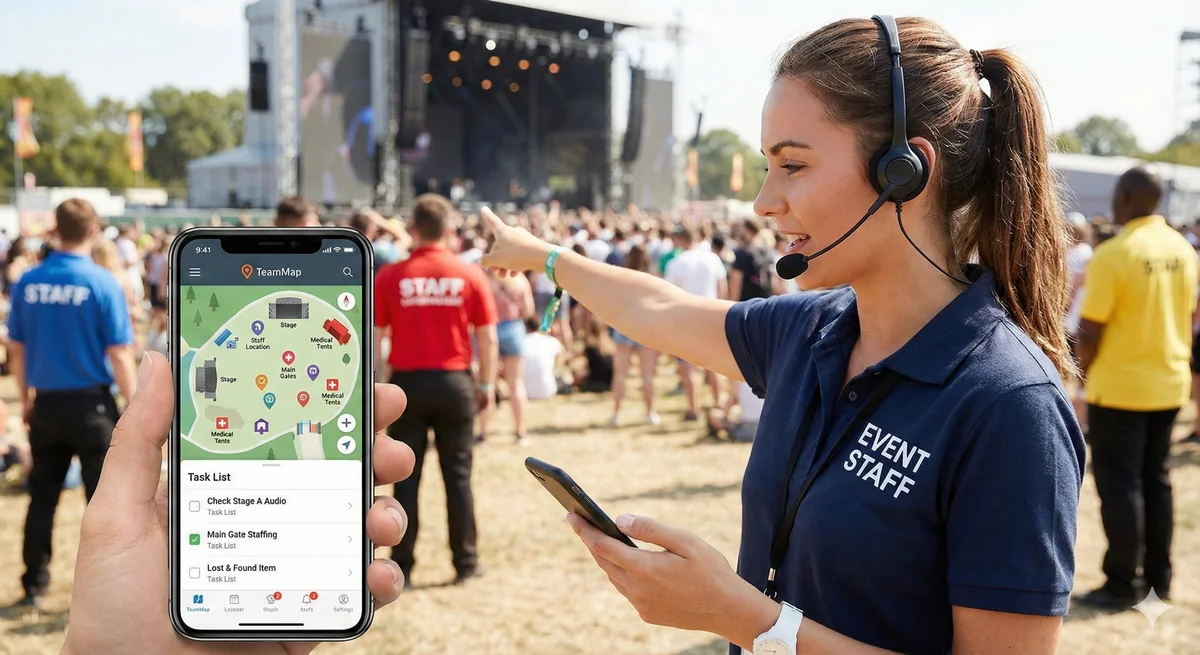
Patrols cover the routine. Tasks cover everything else: the dock that needs unlocking at 0700, the contractor who needs an escort, the follow-up nobody did on last week's incident. This is how tasks get created, assigned, verified and chased in TeamMap.
A task carries a title, a priority, a due time, a location, an assignee and a verification method. Guards see their tasks in the mobile app and close them out with a photo, a GPS fix, an NFC tap or a QR scan, depending on what you required. Supervisors see what is open, what is overdue and who is carrying the load.
When is it a task and not a patrol?
The line is easy to draw once you have it. A patrol is a loop somebody walks. A task is a specific thing somebody does, and it is either done or it is not.
| Patrol | Task |
|---|---|
| Recurring route, same stops | One item, at one place, with an owner |
| General observation | A specific action |
| Standard checkpoints | Whatever location the job needs |
| Complete when the loop is walked | Complete when the action is verified |
The work that lands as a task, in practice: access requests, escort duties, equipment and area inspections, incident follow-up, maintenance the guard spotted and facilities needs to know about, event setup and breakdown, and the administrative work that otherwise lives on a sticky note.
If you are still working out which routine work belongs on a route instead, routes that repeat on schedule and where to place patrol checkpoints cover that side.
What goes into a task
Seven fields. The last one is the one that decides whether the task record is worth anything later.
| Field | What it does | Example |
|---|---|---|
| Title | What the guard sees in the list | Unlock Loading Dock B |
| Description | The instruction, in full | Unlock at 0700 for delivery, re-lock at 0900 |
| Priority | Low, medium, high or urgent | High |
| Due date and time | When it has to be done by | 0700 |
| Location | Where the work happens | Loading Dock B |
| Assigned to | A named guard or a group | Morning shift |
| Verification | What the guard has to produce to close it | Photo required |
Creating one runs in the order you would expect: open Tasks, create, fill in the detail, set priority and due time, assign it, choose the verification method, attach anything the guard needs to read, save.
Tasks that come out of an incident
Most follow-up work starts as a line in an incident report that nobody actioned. Linking the task back to the incident it came from keeps the two together, so the incident closes with its follow-up attached rather than on the strength of somebody's memory.
That link is also what makes the incident file readable six months later, when a client or an attorney asks what you did about it. Writing incident reports people read goes into what the original entry should have said.
How urgent is urgent?
Four priority levels, and they are worth defining once in writing so that urgent still means something at the end of a bad week.
| Priority | Expected response | Looks like |
|---|---|---|
| Urgent | Now, drop what you are doing | Safety hazard, active situation |
| High | Within the hour | Suspicious person, access emergency |
| Medium | Within the shift | Escort request, inspection |
| Low | Within a day or two | Documentation, non-urgent maintenance |
Those response windows are yours to set, not the software's. Write them into your post orders so the guard and the dispatcher read the same word the same way. Writing post orders that work covers where that definition belongs, and a written escalation matrix covers who gets called when the window is missed.
What raises a flag
- A task due in the next fifteen minutes raises a due-soon alert
- A task past its due date raises an overdue alert
- Priority raised to urgent
- The guard says they cannot complete it
The fourth one matters more than it looks. A guard who reports they cannot do the job has given you time to reassign it. A guard who silently lets it go overdue has given you a client complaint.
Assigning the work
| Method | Use when | How |
|---|---|---|
| Direct | One specific guard is the right person | Assign to the individual |
| Group | Anyone qualified can take it | Assign to the team or shift |
| Self-assignment | You want guards pulling work | Post it unassigned and let it be claimed |
| Template | It is the same job every time | Spin it up from a task template |
From there the task moves through five states, and the record keeps who did what at each one.
- Not started. Created and waiting
- Scheduled. Parked with a date it is due to begin
- In progress. A guard has started it, and who started it is recorded
- Completed. Finished, with the verification it required attached
- Cancelled. No longer needed, and still on the record
Cancelled staying on the record is deliberate. "We decided not to do it" is a defensible answer. A task that vanished is not.
Proving the task was done
Verification is the difference between a task list and a to-do list. Pick the lightest method that would satisfy the person who might question it later.
| Method | What the guard does | Fits |
|---|---|---|
| None | Marks it complete | Low-risk, low-consequence work |
| Photo | Attaches a photo | Anything with a visible result |
| GPS | Has to be at the location | Location-specific work |
| NFC | Taps the tag at the location | Work a client audits |
| QR | Scans the code at the location | Sites where a tag is impractical |
NFC is the strongest of the five because the tag cannot be photographed from the parking lot. How NFC checkpoints prove the patrol happened explains the mechanics, and the same logic applies to a task tied to a fixed point.
The completion note should say what was done, what got in the way, whether anything needs following up, and who else was involved. Four lines. A guard who writes "done" has told you nothing you can bill from or defend with.
Keeping the load even
The supervisor view answers who is drowning and what is slipping.
- All open tasks, filtered by site
- Overdue tasks
- Tasks by assignee
- Completion rate for the period, with the trend against the period before
- Which people and which sites are carrying the most activity
Watch the distribution, not just the total. The dependable guard quietly absorbs everyone else's tasks until the week they stop answering the phone. Leave real buffer for the unplanned work, because a shift booked to capacity has nowhere to put the 1am call.
Recurring tasks
A recurring task repeats hourly, daily, weekly or monthly. Each repeat can go to the same person, to whoever is on shift, or round-robin across a group. Daily equipment checks, weekly extinguisher inspections and monthly lighting audits are the obvious candidates.
Round-robin is worth using for the jobs nobody wants. It removes the argument about who did it last time.
Key Takeaways
- A patrol is a loop; a task is one action with an owner, a due time and a verification method.
- Verification runs none, photo, GPS, NFC or QR. Pick the lightest one that would satisfy a skeptical client.
- Define what urgent, high, medium and low mean in your post orders, not in the software.
- Link follow-up tasks to the incident they came from so the incident closes with its evidence attached.
- Recurring tasks run hourly, daily, weekly or monthly, and round-robin ends the argument about whose turn it is.
Continue Reading

Offline mode: what TeamMap does with no signal
Offline mode holds scans, reports, clock-ins and photos on the phone until signal returns. What still works, what does not, and the radio fallback.
Channel communication in TeamMap: a setup guide
Set up channels in TeamMap by site, shift and incident, decide open or private, tune notifications, and export the history before retention closes.
Shift scheduling and coverage in TeamMap
Shift scheduling in TeamMap: build and assign shifts, require GPS at clock-in, watch live coverage, catch no-shows, and hand the post over cleanly.