Channel communication in TeamMap: a setup guide
Set up channels in TeamMap by site, shift and incident, decide open or private, tune notifications, and export the history before retention closes.

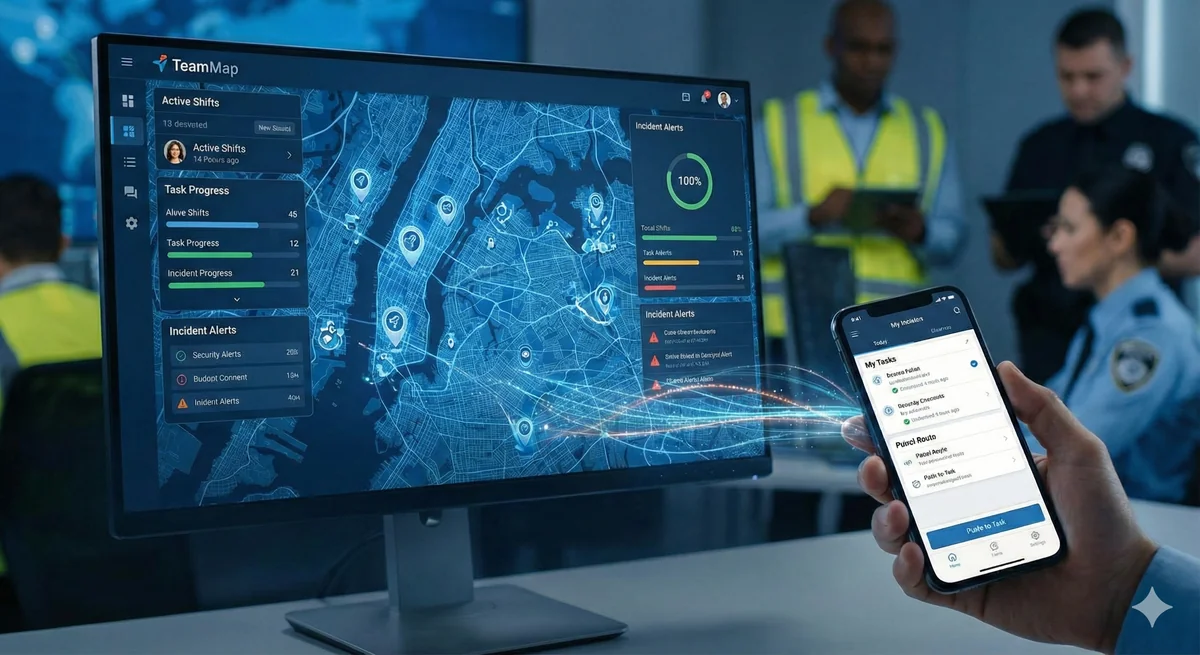
Email is too slow for a live post. Phone trees break down the moment three guards need the same update. Personal texts leave no record and hand out everyone's mobile number. Channels give the shift one place to talk.
Set up channels along the lines your operation already runs on: one per site, one per function, one per shift, and a throwaway one per major incident. Keep the roster on the channel rather than in someone's phone, mute the noisy ones instead of leaving them, and export anything you might need later before the retention window closes. Channels are for coordination. Emergencies go through SOS and dispatch.
When is a channel the right tool?
Not always. Channels are good at group coordination and bad at the two extremes: a genuinely private conversation and a genuinely urgent one.
| Method | Good For | Not Good For |
|---|---|---|
| Formal documentation | Urgent communication | |
| Phone calls | Private 1:1 discussion | Group coordination |
| Text messages | Quick personal notes | Team-wide updates |
| Voice notes | Hands busy, detail hard to type | Information that needs reference |
| Channels | Team coordination, updates | Real-time emergencies |
Read the last row twice. A guard in trouble should be pressing SOS, not typing into a channel and hoping a supervisor is looking at their phone. Same for anything that needs a unit moved now, which is what dispatch is for.
What channels buy you is the boring stuff that matters six months later. Messages stay in context by site and topic. A guard who joins the account in March can read back through what happened in February. Nobody has to hand out a personal phone number. And it is searchable, which the group text on someone's private phone is not.
How should you structure your channels?
Mirror the operation. If a dispatcher would say it out loud as a place, a role or a shift, it is probably a channel.
| Category | Channel Examples | Purpose |
|---|---|---|
| Company-wide | #announcements, #all-hands | Official communications |
| Site-specific | #corporate-hq, #warehouse-a | Site operations |
| Functional | #dispatch, #supervisors | Role-based coordination |
| Shift-based | #day-shift, #overnight | Shift coordination |
| Incident | #incident-2026-001 | Specific event coordination |
Resist one channel per client contact and one per equipment type. A channel nobody posts in is worse than no channel, because it teaches people that the unread badge means nothing.
Creating a channel
- Open TeamMap and go to Chat.
- Choose to create a channel.
- Enter the name and a description that says what belongs in it.
- Add members and groups.
- Decide whether to include yourself. An account manager setting up a site channel for a crew they are not on can turn that off.
- Mark it private if it should be members only.
- Create it.
One rule the app enforces: a private channel has to include you, and it needs its people picked by name rather than by group. Otherwise you could build a room nobody, including you, could open afterwards.
Open or private?
| Type | Visibility | Use Cases |
|---|---|---|
| Open | Anyone on your team can open it and read back | General announcements, site channels |
| Private | Members only, including its photos and recordings | Supervisors, HR matters, investigations |
Private means private all the way down. Someone outside a private channel cannot open it, read its messages, or play its voice recordings. That is the setting for an investigation into one of your own officers, and it is the wrong setting for a site channel that a relief guard will need at 2am.
What do good messages look like?
Four shapes cover almost everything a shift posts.
| Type | Format | Example |
|---|---|---|
| Announcement | Clear header, key info | "SCHEDULE CHANGE: Monday shifts start 0700 not 0600" |
| Update | Brief status | "Loading dock clear, delivery complete" |
| Question | Clear ask, context | "Does anyone have the code for Conference Room B?" |
| BOLO | Description, action | "BOLO: Red Honda Civic, plate ABC123, suspected theft. Call dispatch if seen." |
Do
- Keep it work related
- Post in the channel the topic belongs to
- Say the thing, then the detail
- Acknowledge anything that changes the post
- Use a thread when a message turns into a discussion
- Mention the person who has to act
Do not
- Air personal complaints
- Put confidential detail in an open channel
- Shout in caps
- Send non-urgent messages overnight to people who are asleep
- Hold a two-person conversation in a twenty-person channel
- Post photos of people who did not agree to it
The shift handoff deserves its own format rather than a freeform post. There is a structure that works in the shift handoff SOP template, and the same discipline applied to the written record is covered in writing incident reports people actually read.
How do notifications work?
Three settings, and the difference between them is what still gets through.
| Setting | Behavior | Use For |
|---|---|---|
| Unmuted (default) | Push alert on every message | Channels you act on |
| Muted channel | No push and no sound, but the unread count still rises and mentions still come through | High-traffic or reference channels |
| Muted category | Silences a whole category: tasks, shifts, chat, reports or system | Quiet hours on a personal device |
One category cannot be muted at all. Safety alerts are exempt by design, so SOS, geofence breaches, missed checkpoints, overdue routes, lone-worker alerts and new incidents reach the device whatever else a person has silenced. That is deliberate. The whole point of a mute control is that people trust it enough to use it, which only works if the alert that matters is not in it.
Muting a channel is the pressure valve that keeps people from leaving it. A guard who mutes #announcements still gets the unread badge, and still gets a push the moment someone mentions them by name. That is the design: the noise stops, the direct ask does not.
Which makes mentions the tool you spend carefully. Mention the person who has to do something. Do not mention six people so that one of them reads it, because the next time you mention any of them it will be worth less.
When should you spin up an incident channel?
When the event is going to outlive the shift, or outgrow one radio channel.
- Major incidents that need more than one person coordinating
- Anything running past a shift change
- Multiple teams or outside agencies involved
- Anything you expect to hand to a lawyer or an insurer
Name it so the name sorts and reads on its own: #incident-2026-01-15-fire-alarm. Add every responder, pin the location and the contacts, and post status on a rhythm rather than when someone asks. If the event is big enough to need a formal command structure over the top of it, ICS for security teams covers how that fits together, and the escalation matrix settles who gets called before anyone has to guess.
Close it deliberately. Post a summary, then export the channel or attach the proof to the incident record. A channel that just goes quiet is a channel whose history is on a countdown.
How long does the history last?
Longer than a group text, and not forever. Chat retention is set by your plan and by the "Keep messages for" setting: 7 days on Free, 30 on Pro, 180 on Business, 365 on Enterprise. You can shorten it below your plan's ceiling. You cannot go above it. Free also caps the team at 20 messages a month, so it is a trial of the idea rather than a working radio.
Inside that window, search does the work. Search a channel by keyword, step through the matches in order, tap one to jump straight to it in the conversation, and any attachment is still sitting on the message you landed on. There is also a jump-to-day control for when you know roughly when something happened but not what was said.
For anything you need to keep past the window, use Export Channel Data from the channel menu, pick what to include, and download it as CSV or Excel. Do that before you delete a channel, not after. Deleting a channel removes its messages permanently and there is nothing to recover afterwards.
Retention is a legal decision as much as a storage one. If a channel documents an injury, a use of force, or anything a client may dispute, export it the week it happens and file it with the incident. Do not rely on the window still being open when a subpoena turns up eight months later.
Everything above sits alongside direct messages, group chats and voice notes. There is a fuller picture of how the pieces fit on the communication feature page, and digital incident reporting covers where the channel conversation should end up when it becomes a record.
Key Takeaways
- Structure channels by site, function and shift. Delete the ones nobody posts in.
- Channels coordinate. Emergencies go through SOS and dispatch.
- Private channels hide messages, photos and recordings from everyone outside the member list.
- Muting stops push alerts but keeps unread counts and mentions, so people mute instead of leaving.
- Chat retention runs 7 days on Free, 30 on Pro, 180 on Business. Export anything you need beyond that.
Continue Reading

Offline mode: what TeamMap does with no signal
Offline mode holds scans, reports, clock-ins and photos on the phone until signal returns. What still works, what does not, and the radio fallback.
Task assignment and tracking in TeamMap: a guide
Task assignment in TeamMap: set priority and due time, require photo, GPS, NFC or QR proof, watch what is overdue, and keep the load even across the team.
Shift scheduling and coverage in TeamMap
Shift scheduling in TeamMap: build and assign shifts, require GPS at clock-in, watch live coverage, catch no-shows, and hand the post over cleanly.